Xiaomi Mi Smart LED Desk Lamp Pro EU | 14 W | Desk Lamp | 240 V
A sleek smart desk lamp that lights your workspace evenly and nudges you to take breaks — as long as you don't mind an app.
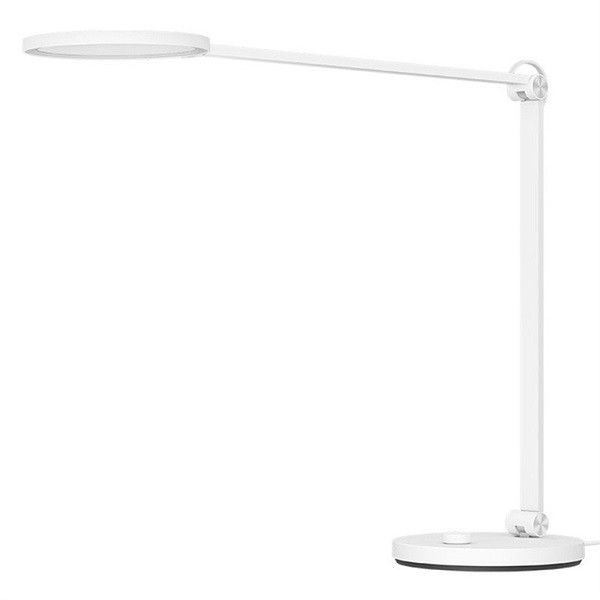
What genuinely stands out here is how evenly the light lands on your desk: the circular light disc (modelled on shadowless medical lamps) means no harsh shadows under your hands while you write. With 700 lumens, a colour temperature you can dial steplessly from a warm 2500K to a crisp 4800K, and a high 90 CRI, the light quality punches above its price. The catch: you can't fully escape the Mi Home app, and the lamp pivots less freely than the marketing shots imply.
Reasons to buy
- Remarkably even, near-shadowless light from the circular disc — great for reading and writing
- Steplessly adjustable from warm 2500K to cool 4800K with a high 90 CRI colour rendering
- Flicker-free with blue-light reduction, plus a handy pomodoro mode that reminds you to take breaks
- Plays nicely with Apple HomeKit, Google and Alexa alongside its own app, in a clean minimalist shell
Reasons to consider
- Pairing only works on 2.4 GHz Wi-Fi and can be genuinely frustrating on first setup
- The arm tilts, but the base doesn't swivel a full 360 degrees the way the product shots suggest
- Firmware updates and the best features still tie you to the Mi Home app; Siri can't change colour temperature, for instance
It's all about the light
The Pro earns its keep on light quality rather than gimmicks. The circular disc spreads light across roughly 1.2 m² without the harsh hotspot you get from cheap desk lamps, and at 90 CRI colours on paper and screen look natural. You can sweep the colour temperature steplessly from a cosy 2500K in the evening to a brisk 4800K when you need to focus. The panel being flicker-free and dimming blue light is something your eyes notice after a long day.
At 700 lumens it's no floodlight, but for a personal workspace it's plenty. The lamp is rated for around 25,000 hours — at six hours of use a day, that's well over a decade.
Smart, but the app stays in charge
The smart features are thoughtfully done: presets like Concentration, Night Reading and blue-light blocking, plus a pomodoro timer that flashes the lamp to signal a break. HomeKit support runs smoothly once set up, and Google and Alexa join in too. The minimalist white design suits just about any desk.
What we're less keen on: pairing insists on 2.4 GHz Wi-Fi, which trips people up on the first try if they don't know it. And even as a HomeKit user you can't ditch the Mi Home app, since firmware updates still flow through it. Voice control is limited too — you can't adjust colour temperature via Siri, for example.
Who is it for?
Ideal for desk dwellers — students, remote workers, avid readers — who value calm, eye-friendly light with a few smart tricks thrown in. If you just want a lamp you flick on and off without apps, or expect an arm that swings in every direction, something simpler will serve you better.
FAQ
Do I really need the app, or does it work on its own?
You can power it on, off and dim it with the button on the lamp itself. But presets, the pomodoro timer and firmware updates do require the Mi Home app, so plan on pairing it at least once.
Does it work with Apple HomeKit?
Yes, and it runs smoothly once installed. Just note that pairing only works over your 2.4 GHz Wi-Fi network, not 5 GHz. Some voice control stays limited, such as changing colour temperature through Siri.